
Customer portal
Customer portal
How to register in the client portal using Smart-ID?
For registration in client self- service portal, you need to use a full-access Smart-ID.
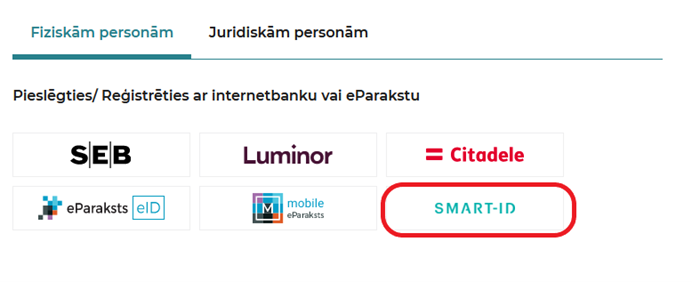
Go to https://mans.lg.lv/, and choose to authenticate with Smart-ID.
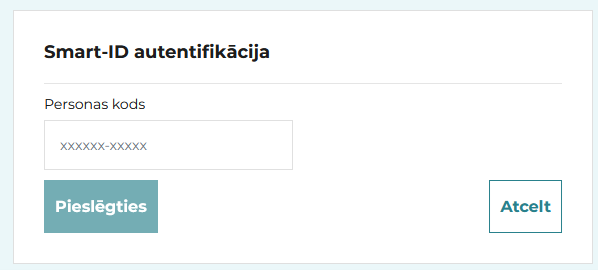
Enter your personal identification code to perform Smart-ID authentication and click "Log in".
Please note that there are currently two types of Smart-ID
accounts available (Smart-ID Basic and full-access Smart-ID). Please check which Smart-ID account you are using.
If you are currently using Smart-ID Basic account, for registration in client self- service portal, please choose one of the other available authentication methods (such as e-signature or internet banking) or upgrade your Basic account to a full-access Smart-ID. Additional information is available here.
Who can register in the Latvijas Gāze customer portal?
It is possible to register to the customer portal for:
- the person who has concluded a contract with us - the contractor;
- a person added by the contractor as an additional user to his/her portal user profile;
- a person authorised by the contractor.
The person who has concluded a contract with us - the contractor - can register by e-mail, internet bank or eSignature. After filling in the Application for registration in the customer portal (in the Applications section), you will receive a confirmation link to the e-mail address specified by you. To complete the registration, we kindly ask you to activate it. The registration process is completed.
The person added by the contractor as an additional user to their portal profile must click on the activation link received in the e-mail; a customer portal window will open, in which they must enter the e-mail and password. To complete additional user registration, please authenticate with Internet banking or eSignature, as well as fill in the contact information form.
The authorised person of the contractor must send the Application for registration in the customer portal (in the Applications section) signed by the contractor for registration of the portal user or a copy of the power of attorney (indicating the e-mail address, with which the authorised person must register in the portal) as a scanned or photographed attachment to the e-mail address info@lg.lv. We will check the data in our customer database and create a portal user. We will send a link to the e-mail address specified by you, which will need to be approved by an authorised person by a certain time. The authorised person will be registered as the main user of the portal and the activities performed by the authorised person in the customer portal will be equated to the activities of the contractor.
I want to register in the portal, but I do not have an internet bank.
- You can register in the customer portal via e-mail. After filling in the registration form, you will receive a confirmation link to your provided e-mail address. To complete the registration, please activate the link.
- You can register with the customer portal by filling out Application for registration in the customer portal (in the Applications section). The completed and signed application shall be sent to the Customer Service of "Latvijas Gāze" AS by e-mail: info@lg.lv.
I am a non-resident, but I want to register in the portal.
To register in the customer portal, please fill in Application for registration in the customer portal (in the Applications section). The completed and signed application shall be sent to the Customer Service of "Latvijas Gāze" AS by e-mail: info@lg.lv.
How can I add additional users to the site?
If you want to grant the right to another person to use your profile in the customer portal, you can do so by logging in to mans.lg.lv in the section “Users”, “Add user”. You can choose what rights you want to grant to this person - just to view invoices or to report a meter reading.